
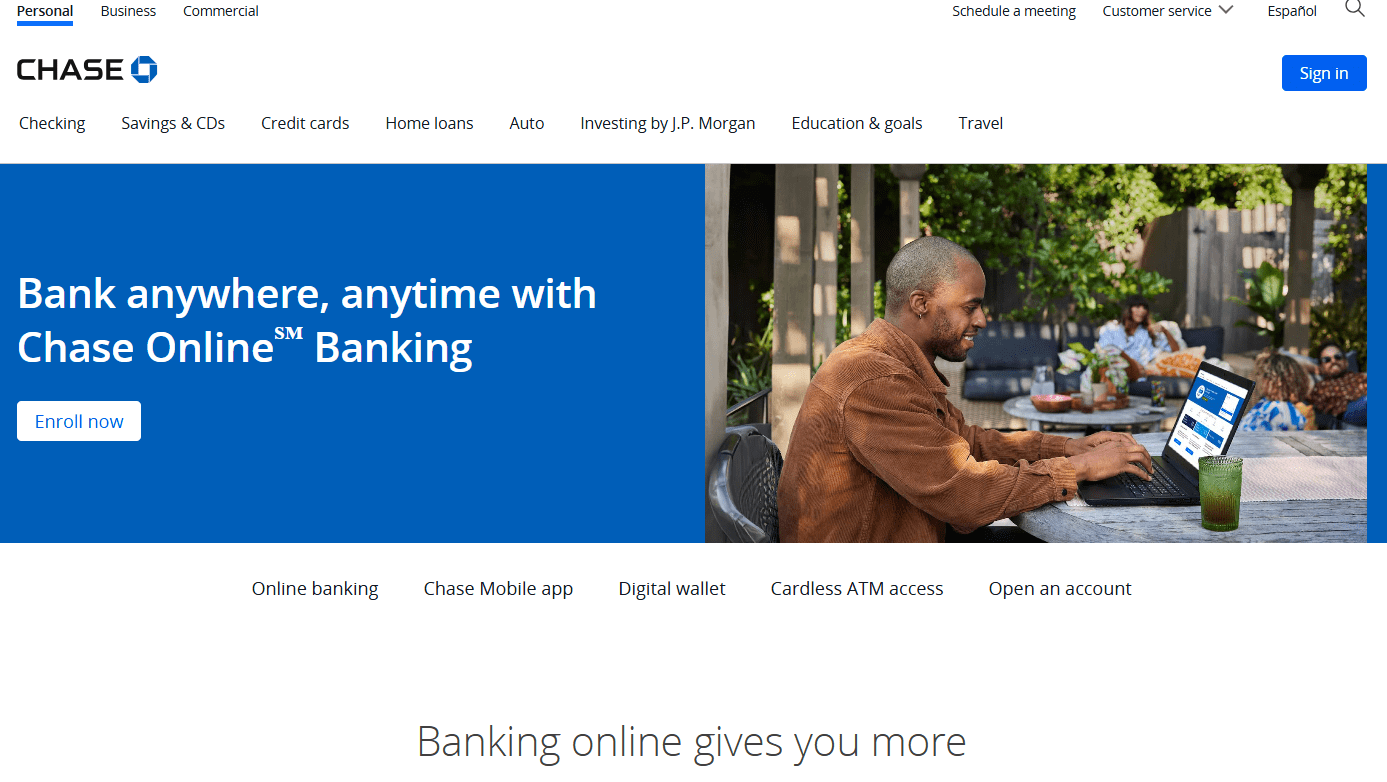
Opening a Chase checking account online only takes a few minutes, but knowing what to expect can save you time, avoid unnecessary fees, and help prevent delays during the application process. Whether you’re applying from a desktop computer or your phone, the steps are nearly identical.
This guide explains exactly how to open a Chase Bank account online, which documents you’ll need, how to avoid the monthly maintenance fee, and what to do after your account is approved.
How to Open a Chase Bank Account Online
If you want to open a Chase Bank account, start by visiting the official Chase website and navigating to the checking accounts section.
From the homepage:
- Select “Checking” from the top navigation.
- Click “Choose a Checking Account.”
- Compare the available checking accounts.
- Select the account that best fits your needs.
- Click “Open Now” to begin the application.
The online application works the same whether you’re using a desktop computer, tablet, or smartphone.
Choose the Right Chase Checking Account
Before you open a Chase Bank account, it’s important to understand the available options.
Chase Total Checking
This is the most popular checking account and the one most customers choose. It includes online banking, mobile banking, debit card access, and a large ATM network.
Chase Secure Banking
A simplified account with no overdraft fees. It’s especially attractive for customers between ages 17 and 24 because the monthly fee may be waived for eligible account holders.
Chase Premier Plus Checking
Designed for customers who travel frequently or maintain larger banking relationships with Chase.
Accounts for Younger Customers
Chase also offers specialized accounts for minors:
- Chase High School Checking (ages 13–17)
- Chase First Banking (ages 6–17 with parent ownership)
The application process is very similar across all account types.
Check the Monthly Fee Before You Apply
One of the biggest mistakes people make when they open a Chase Bank account is overlooking the monthly maintenance fee.
For Chase Total Checking, the monthly fee is $15 unless you qualify for a waiver.
Common ways to avoid the fee include:
- Setting up qualifying direct deposits
- Maintaining the required minimum balance
- Meeting other eligible relationship requirements with Chase
Review the fee waiver requirements before submitting your application so you don’t pay unnecessary charges throughout the year.

Look for New Customer Bonus Offers
Chase frequently offers welcome bonuses for new checking customers.
For example, promotions may require you to:
- Open a qualifying checking account
- Receive qualifying direct deposits within a specified timeframe
- Meet the promotional requirements before the deadline
If you already have or previously had a Chase checking account, you may not qualify for these offers, so always review the current eligibility requirements before applying.
Documents You’ll Need
Before you open a Chase Bank account online, gather the following information:
- Social Security Number
- Driver’s license or state-issued ID
- Residential address
- Email address
- Mobile phone number
Having everything ready makes the application much faster.
Are You Already a Chase Customer?
During the application, Chase asks whether you’re already a customer.
Many people mistakenly answer “No.”
You’re considered an existing Chase customer if you already have:
- A Chase checking or savings account
- A Chase mortgage
- A Chase auto loan
- Chase investment accounts
- Any credit card issued by Chase
If you already have a Chase credit card, signing in first allows much of your information to be filled in automatically.
Complete Your Personal Information Carefully
When entering your personal information:
- Use your legal name exactly as it appears on your government-issued ID.
- Avoid nicknames or shortened versions of your name.
- Ensure your residential address matches your identification documents.
Even small differences can delay identity verification.

Verify Your Identity
Federal banking regulations require Chase to verify every applicant’s identity.
You’ll be asked to provide:
- Date of birth
- Citizenship status
- Social Security Number
These requirements are part of Know Your Customer (KYC) regulations that all U.S. banks must follow.
Understanding the Authorization Screen
Before submitting your application, you’ll review several authorization notices.
These include:
Social Security Verification
Chase verifies your identity by confirming your name, date of birth, and Social Security Number with government records.
Consumer Report Authorization
Chase also checks your banking history through consumer reporting agencies such as ChexSystems.
This is a soft inquiry—not a hard credit inquiry—so it does not affect your credit score.
The review helps determine whether you’ve previously had issues such as:
- Unpaid overdrafts
- Accounts closed for cause
- Returned checks
Review Your Application Before Submitting
Before moving forward, carefully review all entered information.
Check your:
- Name
- Address
- Phone number
- Social Security information
Correcting mistakes now is much easier than updating your information after your account has been opened.
Employment Information
You’ll also be asked about your employment status.
Don’t worry if you’re:
- A student
- Retired
- Between jobs
- A stay-at-home parent
This information is collected for regulatory purposes and does not determine whether you’re approved for a checking account.

Read the Account Agreements
Although many applicants skip the disclosures, it’s worth reviewing the major agreements.
These include:
- Deposit Account Agreement
- Fee Schedule
- Online Banking Agreement
- Digital Services Agreement
- Electronic Signature Disclosure
You’ll also certify your taxpayer information before continuing.
Create Your Debit Card PIN
Near the end of the application, you’ll create a four-digit PIN for your debit card.
For security, avoid using:
- Sequential numbers
- Repeating numbers
- Birthdays
- Phone number digits
- Address numbers
Choose something memorable but difficult for others to guess.
You’ll also have the option to customize your debit card design at no additional cost.
Submit Your Application
After completing all sections, click the final button to submit your application.
In many cases, Chase provides a decision within minutes.
If approved, you’ll receive:
- Your account number
- Routing number
- Debit card status
Your physical debit card typically arrives within 5–7 business days.
Fund Your New Account Immediately
One of the most important steps after you open a Chase Bank account is adding money to it.
Accounts left unfunded for an extended period may be closed automatically.
You can fund your account using several methods:
- Transfer money from another bank
- Mobile check deposit
- Direct deposit
- Zelle
- Wire transfer
- Cash or check deposit at a branch or ATM
For many customers, direct deposit is the best option because it both funds the account and may qualify you for a monthly fee waiver.
Tips to Successfully Open a Chase Bank Account
To make the process as smooth as possible:
- Gather your documents before starting.
- Enter your legal name exactly as it appears on your ID.
- Double-check all personal information before submitting.
- Review the monthly fee waiver requirements.
- Fund the account shortly after approval.
- Set up direct deposit if possible.
Following these steps can help you avoid delays, unnecessary fees, and potential account closure.
Frequently Asked Questions
Can I open a Chase Bank account online?
Yes. You can complete the entire application online through the Chase website using a computer or mobile device.
What do I need to open a Chase Bank account?
You’ll generally need a Social Security Number, government-issued photo ID, residential address, email address, and phone number.
Does opening a Chase checking account affect my credit score?
No. Chase typically performs a soft inquiry when reviewing your application, which does not impact your credit score.
How long does approval take?
Many applicants receive an approval decision within minutes, although some applications may require additional review.
How can I avoid the monthly fee?
The most common way is by setting up qualifying direct deposits. Depending on the account, maintaining required balances or meeting other relationship requirements may also waive the fee.
Final Thoughts
Learning how to open a Chase Bank account online is straightforward once you understand each step. By choosing the right checking account, preparing your documents ahead of time, reviewing the fee requirements, and funding your account promptly, you can complete the application confidently and avoid common mistakes.
Whether you’re opening your first checking account or switching banks, taking a few extra minutes to review the details can save both time and money in the long run.






