
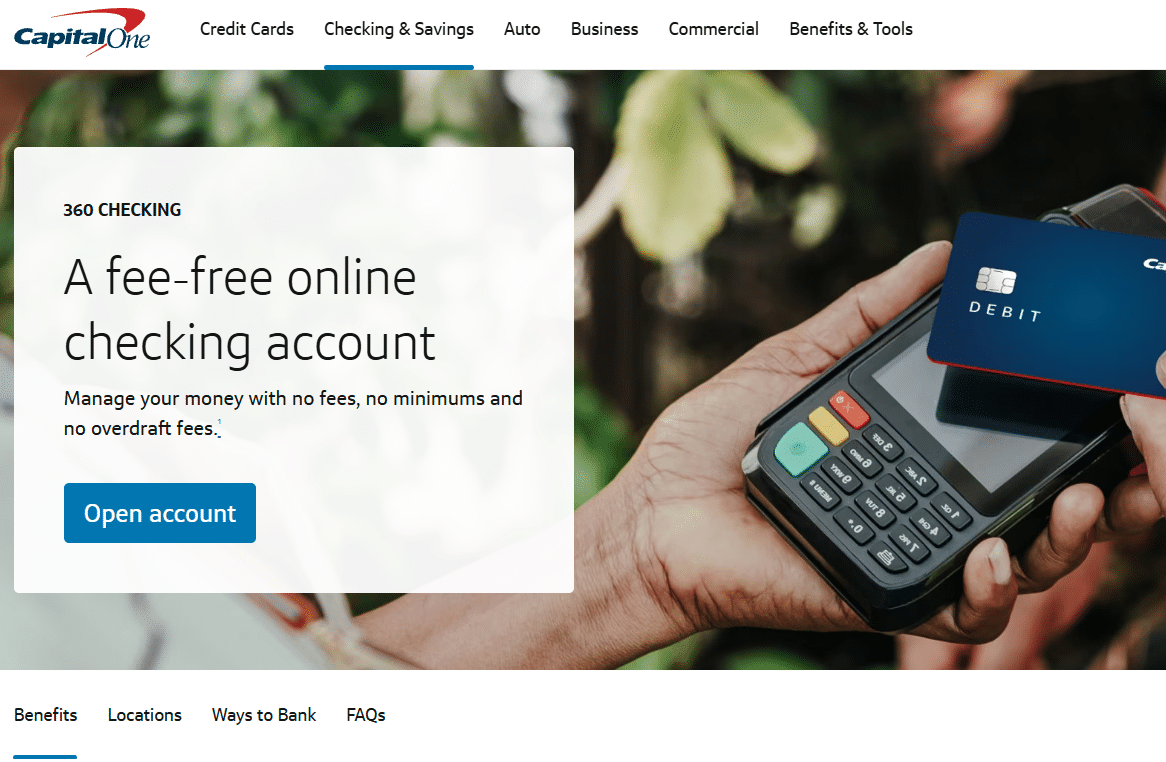
Opening a Capital One checking account is a straightforward process that can be completed online from a desktop computer or phone. Capital One 360 Checking is a fee-free online checking account designed for everyday banking, including receiving paychecks, paying bills, using a debit card, and accessing cash.
If you are also interested in the current $250 promotional offer, there is an important step to complete before starting the application.
Choose the Capital One 360 Checking Account
Start by going to the Capital One website and selecting Checking and Savings from the main menu. Under the checking options, select 360 Checking.
Capital One 360 Checking has no monthly maintenance fee, no minimum balance requirement to open or maintain the account, and no overdraft fees. It is intended to be an everyday checking account for managing regular expenses and deposits.
Once you reach the 360 Checking page, select Open Account to begin.
Capital One Checking Account Login Options
Capital One will ask whether you already have a Capital One login.
If you have never used Capital One before, select No and continue as a new customer.
If you already have a Capital One credit card, savings account, high-yield savings account, or auto loan, you may already have a Capital One login. Select Yes and sign in. Some of your information may then be filled in automatically, which can make the application faster.
Both options allow you to open a Capital One checking account.
How to Add the $250 Promo Code
If you are applying for a promotional bonus, pay close attention to the first application screen.
Before clicking the main Continue button, look for the smaller I have a promo code link. Select it and enter the applicable promotional code.
This step is important because the promotional offer needs to be attached to the application. After entering the code, select Apply and make sure Capital One confirms that it has been added.
Once you return to the application, look for a banner showing that the promotional code is active. Confirm that the offer is displayed before continuing.
How the Two Bonus Options Work
The promotional offer may provide two different ways to qualify for the $250 bonus.
With the CHECKING250 option, you need to receive two qualifying direct deposits of at least $500 each within 75 days.
With the DEBIT250 option, you need to make 20 debit card purchases of at least $10 each within 75 days.
Choose the option that matches how you expect to use your Capital One checking account. After applying the code, verify that the correct promotion appears on your application.
Promotional terms can change, so check the current offer and eligibility requirements before applying.
Enter Your Personal Information
Once your promotional code is confirmed, continue with the application.
Capital One will ask for your first and last name. Enter your name exactly as it appears on your government-issued identification. Avoid nicknames or shortened versions of your name because Capital One uses this information for identity verification.
You will then provide your email address and confirm it, followed by your mobile phone number. Use an active phone number that you can access because Capital One may use it for verification and account servicing communications.
Next, enter your residential address, including your street address, apartment or suite number if applicable, city, state, and ZIP code. A PO box cannot be used in place of a residential address for this application.

Provide Citizenship, Employment, and Income Information
The application will ask for your primary citizenship and employment status.
Employment choices may include employed, self-employed, retired, student, and unemployed. You do not necessarily need to be employed to open a Capital One checking account. Select the option that accurately describes your current situation.
Capital One will also ask for your annual income. Choose the range that accurately represents your income.
These questions are part of the information banks collect as part of their regulatory and customer identification requirements. Always provide truthful information rather than choosing an answer based on what you think will improve your application.
Verify Your Identity
Capital One will ask for your date of birth and Social Security number or other applicable tax identification information.
This information is used to verify your identity and is a standard part of opening a bank account in the United States. Enter the requested information carefully and continue with the application.
If Capital One needs additional information to verify your identity, it may ask you to provide it or contact the bank before the application can be completed.
Review the Agreements and Disclosures
Before continuing, Capital One will present various agreements and disclosures.
You may need to confirm that you have reviewed the paperless agreement, checking account agreements, disclosures, privacy information, and authorization related to identity and tax identification verification.
Read the information and select the required certification boxes if you agree to the terms. Then continue.
Confirm Your Taxpayer Information
The application will also ask whether the IRS has notified you that you are subject to backup withholding.
Answer this question based on your actual tax situation. If the IRS has not notified you that backup withholding applies, the appropriate answer will generally be No.
You will then review the W-9 information generated from your application and certify that the information you provided is accurate.
Review Your Capital One Checking Account Application
Before submitting the application, Capital One provides a final review screen.
Check all of your information carefully, including:
- Your name
- Date of birth
- Social Security or tax identification number
- Citizenship
- Residential address
- Email address
- Phone number
- Employment status
- Annual income
- Promotional code
Pay particular attention to your name, phone number, address, and promotional code. Make sure the correct bonus code is still displayed before you confirm the application.
Once you submit the information, some details may no longer be editable, so this is your best opportunity to catch mistakes.
How Capital One Verifies Your Application
After you submit your application, Capital One will verify your identity and the information you provided.
Most applicants can complete this process using their real, accurate information. However, Capital One may occasionally request additional information or ask you to contact the bank if it cannot immediately verify your identity.
An identity verification request does not necessarily mean you have been rejected. It simply means Capital One needs additional information before it can proceed.
How to Finish Opening Your Account
After the application is approved and the verification process is complete, you will finish setting up your Capital One online banking credentials, including your login and password.
Once those final steps are completed, your Capital One checking account will be ready to use. You can then use it for everyday banking activities such as receiving direct deposits, paying bills, using your debit card, and accessing your money.
Opening a Capital One checking account is mostly an online process, but taking a few extra minutes to verify your information and confirm any promotional code before submitting the application can help you avoid unnecessary problems.





